SHARE Knowledge Hub
Remote Working Wellbeing
Remote working changes where people use equipment, communicate and receive support, but it does not remove workplace health and safety duties. Poor workstation design, isolation, high demands and blurred boundaries can contribute to discomfort, fatigue and work-related stress. Assess the actual role and each regular work setting, act on the findings and keep contact and health information proportionate.
Understanding Remote Working Wellbeing
Remote working changes where people use equipment, communicate and receive support, but it does not remove workplace health and safety duties. Poor workstation design, isolation, high demands and blurred boundaries can contribute to discomfort, fatigue and work-related stress. Assess the actual role and each regular work setting, act on the findings and keep contact and health information proportionate.
Why this matters at work
The evidence set should include date, location category, work activity, equipment, injury or concern, immediate action, investigation and corrective action with minimum personal detail. Unsafe shortcut: rejecting an event because it occurred at home or recording broad household information that is not needed to investigate the work risk. Escalate when serious injury or illness occurs, work causation may be present, repeated patterns emerge or immediate controls are needed for others.
Loss of power, connectivity, systems or security can create workload, isolation and safety risk, so continuity plans should include people and wellbeing rather than output alone. Source basis: HSE homeworking risk assessment; Acas home and hybrid policies.
How organisations manage this in practice
Start with the problem to be solved. If the concern is excessive workload or isolation, consultation, realistic objectives, accessible contact and action on work design are direct controls. Continuous webcam or keystroke monitoring can intrude into the home, capture household members and create misleading conclusions about performance or health. The source guide requires a lawful, fair, necessary and proportionate approach, with less intrusive options considered. A generic claim that monitoring protects wellbeing does not establish that a particular system is justified. Before introducing monitoring, involve the organisation's data-protection lead and workers, explain purposes and access, assess risks and undertake a DPIA where required. Check current ICO guidance, which the original guide flags as subject to change. Define retention and prevent reuse for incompatible inferences. Separate an agreed emergency-contact arrangement from productivity surveillance. Record why the chosen method addresses the actual risk and review its effect on trust and stress. Escalate proposals that infer diagnoses, collect unnecessary private information or conceal monitoring from those affected.
The evidence set should include change risk assessment, equality analysis, consultation evidence, training, equipment readiness, communications, pilot findings and post-change review. Unsafe shortcut: using remote work to deliver an office closure or restructure while treating health, equality and workload impacts as individual adjustment issues. Escalate when change is rushed, controls are unavailable, consultation is incomplete, health signals worsen or the arrangement cannot be reversed safely.
The evidence set should include trigger register, change notifications, review record, action closure, worker confirmation and trend analysis across repeated issues. Unsafe shortcut: setting an arbitrary long review interval while ignoring a move, new laptop, altered duties, pregnancy, disability or reported pain. Escalate when a material change occurs, actions remain open, similar reports recur or the original assumptions can no longer be demonstrated.
Equipment, boundaries and inclusion work together
Remote-work wellbeing is wider than posture. Review the actual setup, work demand, contact and access to decisions without using intrusive surveillance.

Assess the actual setup
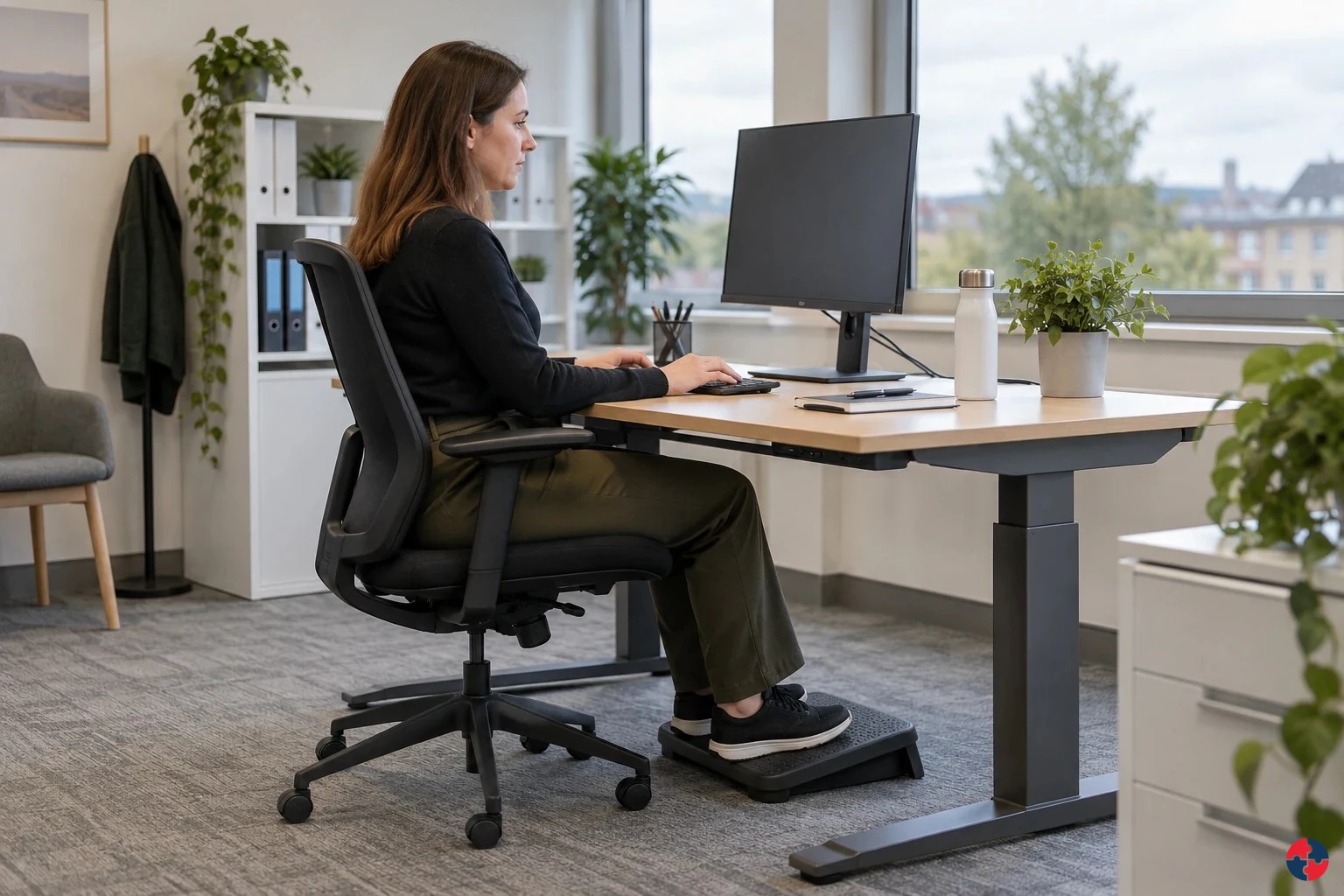
Agree equipment and layout improvements for the user and task, with appropriate DSE assessment.
Agree realistic work and contact
Resolve workload, meeting demand, hours and emergency contact expectations; protected focus time is an administrative arrangement.
Keep people included
Check access to information, support and decisions for remote and hybrid colleagues.
Verify the changes
Use worker feedback and action close-out, not high output or keystroke monitoring as proof of wellbeing. Keep private health information separate.
Read the complete task-specific control examples
ERICPD is a planning cross-map: Discipline verifies and sustains every control. ESEAP compares effectiveness. A label does not authorise the task; retain the owner, evidence and stop or change decision.
Remote Working Wellbeing · ERICPD
- Eliminate
- Remove unnecessary duplicate evening reports and avoid assigning a laptop-only workstation to prolonged screen work where the role can be redesigned.
- Reduce
- Replace laptop-only input with an assessed separate keyboard/screen arrangement and trial lower-interruption communication windows; test suitability for the actual work.
- Isolate
- Provide an adjustable setup and position screen, keyboard and chair for neutral posture; protect uninterrupted task blocks from avoidable message traffic.
- Control
- Plan task variation, breaks and agreed response times; manager reviews workload and isolation privately rather than monitoring keystrokes.
- PPE
- Gloves or braces do not correct a poor DSE setup or excessive demand; use task-specific protection only for a separate assessed exposure.
- Discipline
- Review DSE actions, equipment failure, hours and workload after change; maintain a confidential route for health concerns.
Remote Working Wellbeing · ESEAP
- Elimination
- Remove unnecessary duplicate evening reports and avoid assigning a laptop-only workstation to prolonged screen work where the role can be redesigned. HSE topic guidance
- Substitution
- No separate substitution measure is specified in this example. Roster, duty or communication changes are administrative controls.
- Engineering controls
- Replace the laptop-only physical arrangement with suitable assessed separate keyboard/screen equipment; this is engineering redesign for the workstation route. HSE topic guidance Provide an assessed adjustable setup: screen, keyboard, chair and input positions. The employer supplies and verifies necessary physical equipment. HSE topic guidance
- Administrative controls
- Trial lower-interruption communication windows, with a named manager, workable response expectations and checks for transferred demand. HSE topic guidance Protect uninterrupted task blocks with agreed communication boundaries and response expectations; verify workload and interruptions in practice. HSE topic guidance Plan task variation, breaks and agreed response times; manager reviews workload and isolation privately rather than monitoring keystrokes. HSE topic guidance Review DSE actions, equipment failure, hours and workload after change; maintain a confidential route for health concerns. HSE topic guidance
- PPE
- Gloves or braces do not correct a poor DSE setup or excessive demand; use task-specific protection only for a separate assessed exposure. HSE topic guidance
What does remote working wellbeing cover?
It covers the physical, mental, social, practical and privacy conditions that allow remote work to be safe and sustainable.
Remote work needs several independent checks


Read the complete visual as text
- DSE AND WORKSTATION: Laptop-only work, poor chair, awkward posture, eye strain or pain. Response: DSE self-assessment, training, equipment and review.
- STRESS AND WORKLOAD: Always-on availability, unclear priorities or unrealistic output expectations. Response: Clear objectives, workload review and boundaries.
- ISOLATION: Reduced support, weak team connection or loneliness. Response: Regular check-ins, team routines and inclusive meetings.
- COMMUNICATION: Misunderstanding, exclusion from decisions or meeting overload. Response: Communication norms and balanced face-to-face/remote touchpoints.
- SICKNESS AND PRESENTEEISM: Working while ill because home work feels less visible. Response: Encourage proper sickness absence and manager conversation.
- FAIRNESS: Remote workers miss development, support or representation. Response: Equal access to opportunities and worker voice.
- PRIVACY AND MONITORING: Intrusive surveillance or unnecessary health data collection. Response: Transparent, proportionate monitoring and data minimisation.
Best-practice guide: Remote Working Wellbeing
What does remote working wellbeing cover?
It covers the physical, mental, social, practical and privacy conditions that allow remote work to be safe and sustainable. Remote working changes where people use equipment, communicate and receive support, but it does not remove workplace health and safety duties.
Turn remote working wellbeing knowledge into a decision
Remote working changes where people use equipment, communicate and receive support, but it does not remove workplace health and safety duties. Poor workstation design, isolation, high demands and blurred boundaries can contribute to discomfort, fatigue and work-related stress. Keep the DSE assessment, equipment actions, workload agreement and review date, with sensitive detail restricted.
A hybrid administrator with pain and long hours
Check that the worker can use the changes, that priority work is achievable and that office decisions reach remote colleagues. Reassess after equipment and workload changes, confirm the worker has a clear reporting route, and amend the plan if symptoms persist.
Where do remote working wellbeing controls commonly fail?
Misleading signal: High output alone does not establish good wellbeing. What can be hidden: Skipped breaks, late messages, isolation or excessive hours can coexist with completed work. Required work response: Review demand, equipment, contact and inclusion with the worker; verify changes rather than relying on surveillance.
Choose controls for the actual task
Eliminate: Remove unnecessary duplicate evening reports and avoid assigning a laptop-only workstation to prolonged screen work where the role can be redesigned. Reduce: Replace laptop-only input with an assessed separate keyboard/screen arrangement and trial lower-interruption communication windows; test suitability for the actual work. Isolate: Provide an adjustable setup and position screen, keyboard and chair for neutral posture; protect uninterrupted task blocks from avoidable message traffic. Control: Plan task variation, breaks and agreed response times; manager reviews workload and isolation privately rather than monitoring keystrokes. PPE: Gloves or braces do not correct a poor DSE setup or excessive demand; use task-specific protection only for a separate assessed exposure. Read the full control table for qualifications, ownership and verification. Use the actual task and applicable jurisdiction; existing technical approval remains unchanged.
Use the full remote working wellbeing lesson
Use the full topic for the decision points, practical examples, detailed control tables and source scope. HSE guidance applies to Great Britain; use HSENI for the Northern Ireland route and the source’s stated jurisdiction. A simplified guide does not change the page’s technical-review or approval status.

Read all six steps as text
1. What does remote working wellbeing cover?
It covers the physical, mental, social, practical and privacy conditions that allow remote work to be safe and sustainable.
- Avoid / redesign: Remove unnecessary duplicate evening reports and avoid assigning a laptop-only workstation to prolonged screen work where the role can be redesigned.
- Control the task: Provide an adjustable setup and position screen, keyboard and chair for neutral posture; protect uninterrupted task blocks from avoidable message traffic.
- Verify before release: Line manager records task removal and confirms service needs.
It covers the physical, mental, social, practical and privacy conditions that allow remote work to be safe and sustainable. Remote working changes where people use equipment, communicate and receive support, but it does not remove workplace health and safety duties.
Apply it: Which part of this plan would you check at the workface before authorising the task?
2. Turn remote working wellbeing knowledge into a decision
Use the evidence to improve the actual work arrangement.
- Change at source: Remove unnecessary duplicate evening reports and avoid assigning a laptop-only workstation to prolonged screen work where the role can be redesigned.
- Make it observable: Line manager records task removal and confirms service needs.
- Keep useful evidence: Keep the DSE assessment, equipment actions, workload agreement and review date, with sensitive detail restricted.
Remote working changes where people use equipment, communicate and receive support, but it does not remove workplace health and safety duties. Poor workstation design, isolation, high demands and blurred boundaries can contribute to discomfort, fatigue and work-related stress. Keep the DSE assessment, equipment actions, workload agreement and review date, with sensitive detail restricted.
Apply it: What evidence would show that the change improves this task, rather than only completing a record?
3. A hybrid administrator with pain and long hours
Example: a practical application of the existing topic lesson.
- Setting: A finance administrator works from a dining chair three days a week and answers messages late; they report shoulder pain and stress despite high output.
- Act: Provide suitable equipment and a practical workstation arrangement; agree response hours, breaks and an inclusive team contact rhythm.
- Hold / review: If discomfort worsens or the setup cannot be made suitable, change the work arrangement and seek competent advice; do not diagnose or require unnecessary health disclosure.
Check that the worker can use the changes, that priority work is achievable and that office decisions reach remote colleagues. Reassess after equipment and workload changes, confirm the worker has a clear reporting route, and amend the plan if symptoms persist.
Apply it: At which point would you hold this example, and what evidence would allow it to proceed?
4. Where do remote working wellbeing controls commonly fail?
Connect the task, the route to the person and the control that can fail.
- Misleading signal: High output alone does not establish good wellbeing.
- What can be hidden: Skipped breaks, late messages, isolation or excessive hours can coexist with completed work.
- Required work response: Review demand, equipment, contact and inclusion with the worker; verify changes rather than relying on surveillance.
Misleading signal: High output alone does not establish good wellbeing. What can be hidden: Skipped breaks, late messages, isolation or excessive hours can coexist with completed work. Required work response: Review demand, equipment, contact and inclusion with the worker; verify changes rather than relying on surveillance.
Apply it: Who could be exposed, including other trades, cleaners, maintainers and people nearby?
5. Choose controls for the actual task
Control summary. Read the complete task-specific controls and checks in the linked topic.
- Elimination: Remove unnecessary duplicate evening reports and avoid assigning a laptop-only workstation to prolonged screen work where the role can be redesigned. HSE topic guidance
- Substitution: No separate substitution measure is specified in this example. Roster, duty or communication changes are administrative controls.
- Engineering controls: Replace the laptop-only physical arrangement with suitable assessed separate keyboard/screen equipment; this is engineering redesign for the workstation route.
- Administrative controls: Trial lower-interruption communication windows, with a named manager, workable response expectations and checks for transferred demand.
- PPE: Gloves or braces do not correct a poor DSE setup or excessive demand; use task-specific protection only for a separate assessed exposure. HSE topic guidance
Eliminate: Remove unnecessary duplicate evening reports and avoid assigning a laptop-only workstation to prolonged screen work where the role can be redesigned. Reduce: Replace laptop-only input with an assessed separate keyboard/screen arrangement and trial lower-interruption communication windows; test suitability for the actual work. Isolate: Provide an adjustable setup and position screen, keyboard and chair for neutral posture; protect uninterrupted task blocks from avoidable message traffic. Control: Plan task variation, breaks and agreed response times; manager reviews workload and isolation privately rather than monitoring keystrokes. PPE: Gloves or braces do not correct a poor DSE setup or excessive demand; use task-specific protection only for a separate assessed exposure. Read the full control table for qualifications, ownership and verification. Use the actual task and applicable jurisdiction; existing technical approval remains unchanged.
Apply it: Which stronger option can be used here, and who will verify it before accepting the remaining risk?
6. Use the full remote working wellbeing lesson
Follow the official sources below and retain the task-specific evidence.
- Official guidance: HSE home-working guidance
- Official guidance: HSE home DSE guidance
- Task decision: Use worker feedback and action close-out, not high output or keystroke monitoring as proof of wellbeing. Keep private health information separate.
Use the full topic for the decision points, practical examples, detailed control tables and source scope. HSE guidance applies to Great Britain; use HSENI for the Northern Ireland route and the source’s stated jurisdiction. A simplified guide does not change the page’s technical-review or approval status.
Apply it: Which official source and full-topic section will you use to resolve the next decision?
Remote working can improve autonomy and reduce commuting strain, but it can also create isolation, blurred boundaries, poor workstation setup, longer hours, missed informal support, weaker supervision and difficulty reporting concerns. The aim is not to make remote work look perfect or problematic; it is to manage the specific risks and benefits for the role and the person.
HSE makes clear that employers still need to protect workers from health and safety risks when they work at home, including DSE risks where the regulations apply. HSE also emphasises regular contact, mental health and stress risk management alongside DSE assessment.
Check the workstation and the work pattern separately. HSE home DSE guidance covers posture, assessment and equipment in Great Britain, while HSENI DSE guidance covers the Northern Ireland route. HSE home-working stress guidance addresses isolation, contact and excessive hours; HSENI stress resources provide the NI work-stress route.
For training and development access, GOV.UK JobHelp remote working gives government advice to remote workers. For worker monitoring, use GOV.UK monitoring staff at work for justification and notice, and UK GDPR Article 6 lawful basis for lawful basis; UK GDPR Articles 5 and 35 address minimisation and high-risk DPIA decisions. Home privacy needs particular care.
| Topic | What can go wrong | Good control |
|---|---|---|
| DSE and workstation | Laptop-only work, poor chair, awkward posture, eye strain or pain. | DSE self-assessment, training, equipment and review. |
| Stress and workload | Always-on availability, unclear priorities or unrealistic output expectations. | Clear objectives, workload review and boundaries. |
| Isolation | Reduced support, weak team connection or loneliness. | Regular check-ins, team routines and inclusive meetings. |
| Communication | Misunderstanding, exclusion from decisions or meeting overload. | Communication norms and balanced face-to-face/remote touchpoints. |
| Sickness and presenteeism | Working while ill because home work feels less visible. | Encourage proper sickness absence and manager conversation. |
| Fairness | Remote workers miss development, support or representation. | Equal access to opportunities and worker voice. |
| Privacy and monitoring | Intrusive surveillance or unnecessary health data collection. | Transparent, proportionate monitoring and data minimisation. |
How can the hierarchy of controls reduce health and wellbeing risks in remote work?
Use a work-design model: role suitability, work environment, equipment, communication, workload, support, privacy and review.
A good remote-working arrangement starts with the role, not the assumption. Some work can be done remotely almost all the time. Some needs face-to-face collaboration, equipment, supervision, customer contact, secure systems or site presence. The design should explain what must be done, where, when, how communication works and how concerns are raised.
The model should include both planned controls and real checks. A home-working checklist is useful only if managers follow up on DSE actions, workload concerns, isolation, IT problems, stress signals and changes in domestic or health circumstances that affect work.
| Design element | Question to answer | Evidence |
|---|---|---|
| Role suitability | Which tasks can be done remotely and which need site or office presence? | Role assessment and team agreement. |
| Workspace and DSE | Can the worker achieve a comfortable, sustainable setup? | DSE assessment and equipment record. |
| Workload and hours | Are expectations, availability and breaks realistic? | Workload review and hours/boundary agreement. |
| Connection and support | How will the worker access manager, peers, reps and help? | Check-in rhythm and contact routes. |
| Fairness and inclusion | Could remote workers be disadvantaged? | Review of training, promotion, meetings and voice. |
| Privacy | What information is monitored or recorded and why? | Monitoring/data-protection explanation. |
| Review | When will the arrangement be reviewed? | Review date and adjustment log. |
How do both control hierarchies change this work decision?
A remote worker has prolonged laptop-only work, neck discomfort and high evening message demand. Treat the display-screen equipment (DSE) and work-design routes separately. ERICPD (Eliminate, Reduce including substitution, Isolate, Control, Personal Protective Equipment, Discipline) and HSE’s five levels are related control prompts; PPE means personal protective equipment and has no routine role for screen discomfort or psychosocial overload. HSE topic guidance and HSE control hierarchy support the control order; the scenario needs local feasibility and effectiveness checks. HSE hierarchy of control
On a narrow screen, scroll this table sideways to see the owner, check and stop decision.
How can the ERICPD hierarchy of controls reduce health and wellbeing risks in remote work?

| ERICPD prompt | Five-level match | Exact task control and feasibility | Owner, verification and stop point |
|---|---|---|---|
| Eliminate | Elimination | Remove unnecessary duplicate evening reports and avoid assigning a laptop-only workstation to prolonged screen work where the role can be redesigned. HSE topic guidance | Line manager records task removal and confirms service needs. Reopen the assessment if the same reports return through another channel. |
| Reduce | Substitution | Replace laptop-only input with an assessed separate keyboard/screen arrangement and trial lower-interruption communication windows; test suitability for the actual work. HSE topic guidance | DSE assessor and worker trial height, input position and workload. Reassess symptoms or new equipment. |
| Isolate | Engineering and work-design separation | Provide an adjustable setup and position screen, keyboard and chair for neutral posture; protect uninterrupted task blocks from avoidable message traffic. HSE topic guidance | Employer supplies and checks the equipment; worker demonstrates setup. Stop prolonged screen sessions if a required adjustment is unavailable. |
| Control | Administrative | Plan task variation, breaks and agreed response times; manager reviews workload and isolation privately rather than monitoring keystrokes. HSE topic guidance | Manager checks actions at an agreed follow-up. Escalate persistent pain, excessive hours or distress for competent support. |
| PPE | No relevant PPE | Gloves or braces do not correct a poor DSE setup or excessive demand; use task-specific protection only for a separate assessed exposure. HSE topic guidance | DSE assessor records that PPE is not the control for these routes. Do not close the concern with an accessory alone. |
| Discipline | Administrative assurance | Review DSE actions, equipment failure, hours and workload after change; maintain a confidential route for health concerns. HSE topic guidance | Employer checks the action record and worker feedback; reopen assessment if equipment or work pattern changes. |
How can the ISO 45001 hierarchy of controls reduce health and wellbeing risks in remote work?

| ERICPD prompt | Five-level match | Exact task control and feasibility | Owner, verification and stop point |
|---|---|---|---|
| Eliminate | Elimination | Remove unnecessary duplicate evening reports and avoid assigning a laptop-only workstation to prolonged screen work where the role can be redesigned. HSE topic guidance | Line manager records task removal and confirms service needs. Reopen the assessment if the same reports return through another channel. |
| Engineering controls | Engineering controls | Replace the laptop-only physical arrangement with suitable assessed separate keyboard/screen equipment; this is engineering redesign for the workstation route. HSE topic guidance | DSE assessor and worker trial height, input position and workload. Reassess symptoms or new equipment. |
| Administrative controls | Administrative controls | Trial lower-interruption communication windows, with a named manager, workable response expectations and checks for transferred demand. HSE topic guidance | DSE assessor and worker trial height, input position and workload. Reassess symptoms or new equipment. |
| Engineering controls | Engineering controls | Provide an assessed adjustable setup: screen, keyboard, chair and input positions. The employer supplies and verifies necessary physical equipment. HSE topic guidance | Employer supplies and checks the equipment; worker demonstrates setup. Stop prolonged screen sessions if a required adjustment is unavailable. |
| Administrative controls | Administrative controls | Protect uninterrupted task blocks with agreed communication boundaries and response expectations; verify workload and interruptions in practice. HSE topic guidance | Employer supplies and checks the equipment; worker demonstrates setup. Stop prolonged screen sessions if a required adjustment is unavailable. |
| Control | Administrative controls | Plan task variation, breaks and agreed response times; manager reviews workload and isolation privately rather than monitoring keystrokes. HSE topic guidance | Manager checks actions at an agreed follow-up. Escalate persistent pain, excessive hours or distress for competent support. |
| PPE | PPE | Gloves or braces do not correct a poor DSE setup or excessive demand; use task-specific protection only for a separate assessed exposure. HSE topic guidance | DSE assessor records that PPE is not the control for these routes. Do not close the concern with an accessory alone. |
| Discipline | Administrative controls | Review DSE actions, equipment failure, hours and workload after change; maintain a confidential route for health concerns. HSE topic guidance | Employer checks the action record and worker feedback; reopen assessment if equipment or work pattern changes. |
What does a good remote working arrangement look like?
A worked example shows how wellbeing improves when expectations, equipment, contact and boundaries are designed together.
Hybrid administrator: equipment, boundaries and inclusion


Read the complete visual as text
- 1. SITUATION: A finance administrator works from a dining chair three days a week and answers messages late; they report shoulder pain and stress despite high output.
- 2. PEOPLE AND EVIDENCE: The manager privately reviews DSE setup, workload, hours and contact arrangements; a trained assessor handles DSE actions and occupational health advice is sought where appropriate.
- 3. CHANGE THE WORK: Provide suitable equipment and a practical workstation arrangement; agree response hours, breaks and an inclusive team contact rhythm.
- 4. CHECK IN REAL WORK: Check that the worker can use the changes, that priority work is achievable and that office decisions reach remote colleagues.
- 5. HOLD OR REFER: If discomfort worsens or the setup cannot be made suitable, change the work arrangement and seek competent advice; do not diagnose or require unnecessary health disclosure.
- 6. VERIFY AND REVIEW: Reassess after equipment and workload changes, confirm the worker has a clear reporting route, and amend the plan if symptoms persist.
- 7. RETAIN THE DECISION: Keep the DSE assessment, equipment actions, workload agreement and review date, with sensitive detail restricted.
A finance administrator works from home three days a week. Early on, they work from a dining chair, answer messages late into the evening and feel excluded from informal team decisions. Their output stays high, so the manager assumes everything is fine until the worker reports shoulder pain and stress.
A good review does not blame the worker. It updates the DSE assessment, provides suitable equipment, agrees core contact hours, protects breaks, schedules regular team contact and makes sure important decisions are not made only in office conversations. The manager records the work adjustments, not unnecessary personal health detail.
| Issue | Weak arrangement | Stronger arrangement |
|---|---|---|
| Workstation | Assume home furniture is fine. | DSE assessment and equipment if needed. |
| Availability | Messages expected at all hours. | Core hours and response expectations agreed. |
| Isolation | Worker misses informal updates. | Team rhythm includes remote participants. |
| Support | Check-ins focus only on tasks. | Check-ins include workload, barriers and wellbeing. |
| Sickness | Worker keeps working when unwell. | Manager encourages normal sickness process. |
| Privacy | Health details discussed in team chat. | Private conversation and minimal record. |
A hybrid administrator with pain and long hours
Task, material and setting: A finance administrator works from a dining chair three days a week and answers messages late; they report shoulder pain and stress despite high output.
People and prerequisites: The manager privately reviews DSE setup, workload, hours and contact arrangements; a trained assessor handles DSE actions and occupational health advice is sought where appropriate.
Before: Provide suitable equipment and a practical workstation arrangement; agree response hours, breaks and an inclusive team contact rhythm.
During: Check that the worker can use the changes, that priority work is achievable and that office decisions reach remote colleagues.
Hold or stop: If discomfort worsens or the setup cannot be made suitable, change the work arrangement and seek competent advice; do not diagnose or require unnecessary health disclosure.
Completion and hand back: Reassess after equipment and workload changes, confirm the worker has a clear reporting route, and amend the plan if symptoms persist.
Evidence: Keep the DSE assessment, equipment actions, workload agreement and review date, with sensitive detail restricted.
A remote call handler losing recovery time
Task, material and setting: A call handler works from home on a tightly scheduled queue; software alerts and back-to-back calls crowd out breaks and informal support.
People and prerequisites: The manager reviews queue demand, call pattern, DSE setup, break opportunity and work-related stress signals with the worker and team.
Before: Change staffing or queue rules, protect recovery and contact time, and make help available without intrusive monitoring of personal activity.
During: Supervisors check actual break uptake and unresolved equipment or workload actions; workers know how to raise a concern privately.
Hold or stop: If the arrangement creates unmanageable stress or pain, reduce exposure and escalate the work design; do not use output targets to dismiss the report.
Completion and hand back: Review queue data alongside worker feedback and absence or incident trends, then confirm the revised arrangement works for home and office days.
Evidence: Retain the work-design assessment, DSE actions, consultation and management decision; minimise personal health data.
What should a manager check monthly?
Monthly checks should focus on work design, support and risk signals, not surveillance.
Managers do not need to inspect a worker's home in an intrusive way. They need a practical rhythm for asking whether the work setup still works, whether workload is manageable, whether DSE actions are closed, whether the worker has contact and whether any change needs review.
The check should be conversational and supportive. It should not become a productivity interrogation or a request for personal medical detail.
The check should produce a decision, not just a completed form. Ask whether the agreed equipment is in use, work hours and contact patterns are sustainable, and the worker can get timely help when a problem arises. If the answer points to a task or workload defect, assign a change and review its effect at the next contact. Keep the conversation proportionate and confidential. HSE home-worker guidance gives the employer route.
| Check | Helpful question | Action if concern raised |
|---|---|---|
| DSE | Is your setup still comfortable for the work you do? | Review assessment and equipment. |
| Workload | Are priorities and deadlines realistic? | Rebalance work or escalate capacity issue. |
| Boundaries | Are you able to switch off and take breaks? | Agree availability and meeting rules. |
| Connection | Are you getting enough support and team contact? | Adjust check-ins and team routines. |
| Fairness | Are you missing training, information or opportunities? | Review meeting and development access. |
| Health/work impact | Is anything about the work arrangement affecting your ability to work safely? | Discuss work impact, signpost support and protect privacy. |
Choose contact around the actual work
Monthly contact here is an example local rhythm. Agree earlier contact for a new starter, acute concern, delayed essential equipment or changed work, and retain the existing escalation triggers. Check the actual workload and action outcome at the next contact.
HSE home DSE guidance; HSENI DSE guidance; UK GDPR Article 6 lawful basis; GOV.UK monitoring staff at work; ICO monitoring workers guidance (check current updates).
Which remote-working signals should trigger escalation?
Escalation should be based on work risk, isolation, DSE action failure, workload pressure, privacy concerns or possible harm.
Remote work can hide weak signals because the worker is less visible. A manager may see output, but not discomfort, missed breaks, loneliness, domestic pressure, IT friction or presenteeism. That is why remote-working reviews need planned indicators rather than waiting for a crisis.
Escalation does not always mean formal HR action. Often it means a DSE review, workload reset, clearer contact rhythm, occupational health signposting, safeguarding route, reasonable-adjustment discussion or a decision that some tasks need office or site presence.
| Indicator | What it may mean | Escalation and evidence |
|---|---|---|
| DSE actions remain open | Pain, discomfort or unsuitable equipment may be unmanaged. | Escalate to DSE assessor, provide equipment where needed and record closure. |
| Worker withdraws from meetings | Isolation, overload, poor inclusion or wellbeing concern. | Private check-in, review contact plan and record work-support actions. |
| Long hours or constant online availability | Boundary failure, workload excess or presenteeism. | Review workload and expectations; avoid intrusive monitoring as the first response. |
| Repeated sickness while still working | Remote presenteeism may be masking health or workload issues. | Encourage normal sickness route and discuss work impact privately. |
| Missed deadlines after role change | Unclear objectives, poor support, technology issue or overload. | Review task design, training, access to help and expectations. |
| Domestic safety or privacy concern | Worker may need safe contact methods or specialist support. | Handle confidentially, use agreed contact route and signpost support. |
| Monitoring complaint | Surveillance may feel intrusive or unclear. | Review transparency, proportionality, lawful basis and data minimisation. |
How should remote work design vary by role?
Remote arrangements should fit the work, the risk and the support needed rather than applying one standard pattern to everyone.
A remote arrangement is only effective if it describes how the work is actually done. A policy saying 'work from home two days a week' is not enough for roles with confidential calls, high call volume, lone decision-making, complex collaboration, training needs or equipment requirements.
The design should specify the work outputs, contact rhythm, equipment, escalation routes, breaks, meeting expectations and when face-to-face contact is needed. This keeps remote work supportive without becoming either unmanaged or over-monitored.
For a remote call-centre worker, the manager should test the actual screen and headset arrangement, call intensity, recovery between calls and how a distressed worker reaches help. A laptop-only setup may need a separate display, keyboard or support; a good chair alone will not correct relentless call demand. Agree the equipment and workload changes, check that they were delivered, and revisit after the work pattern changes. HSE home DSE guidance and home-work stress guidance address these different routes.
| Role type | Design issue | Good arrangement |
|---|---|---|
| Call-centre worker | High call volume, emotional demand and limited breaks. | Call pacing, break planning, headset/DSE checks, debrief route and supervisor availability. |
| Finance/admin worker | Long screen work and confidential data. | DSE setup, secure systems, clear priorities and protected focus time. |
| Manager | Back-to-back meetings and hidden overload. | Meeting rules, decision logs, one-to-ones and escalation for workload. |
| New starter | Reduced informal learning and confidence. | More frequent contact, buddy support and planned office/site time. |
| Worker with adjustment | Needs may change over time. | Private work-impact discussion, OH/HR input where needed and review date. |
| Site-linked professional | Remote planning disconnected from work as done. | Regular site contact, feedback loops and clear handover arrangements. |
When should remote working arrangements be reviewed?
Review is needed when the role, person, workload, home setup, health impact, equipment or team arrangements change.
Remote working is not a one-time approval. It should be reviewed after a new role, new equipment, pain or discomfort, mental health concern, isolation, domestic safety concern, sickness pattern, performance issue, change in caring responsibilities or major business change.
The review should separate support from discipline. Where there are capability or performance issues, employers should use proper HR processes and evidence. They should not use intrusive monitoring as a substitute for good management.
| Trigger | What to review | Boundary |
|---|---|---|
| Pain or discomfort | DSE, breaks, equipment and workload. | Do not diagnose; signpost to medical/OH advice if needed. |
| Isolation or stress | Contact, demands, support and role clarity. | Discuss work factors, not personal assumptions. |
| Poor work-life boundaries | Hours, messages, meetings and expectations. | Avoid surveillance as the first response. |
| Sickness/presenteeism | Whether worker is working while unwell. | Encourage normal sickness routes and privacy. |
| Reasonable adjustment request | Disadvantage, adjustment options and review date. | Use HR/OH/legal advice where needed. |
| Domestic safety concern | Safe contact method and support route. | Handle confidentially and carefully. |
Where do remote working wellbeing controls commonly fail?
They fail when remote work is treated as a perk, a productivity tool or a private matter rather than designed work.
Remote-work failure signals and accountable responses


Read the complete visual as text
- LAPTOP-ONLY CULTURE: Signal: People work long hours without proper setup. Manager response: Assess DSE and provide suitable equipment where needed.
- ALWAYS-ON EXPECTATION: Signal: Messages and meetings spill into recovery time. Manager response: Agree availability and boundaries.
- MEETING OVERLOAD: Signal: Remote work becomes back-to-back calls. Manager response: Protect focus time, breaks and asynchronous work.
- INVISIBLE WORKER: Signal: Remote worker misses opportunities and support. Manager response: Review fairness, inclusion and communication.
- MONITORING DRIFT: Signal: Keystroke or screen monitoring replaces management. Manager response: Use proportionate, transparent monitoring only where justified.
- PRIVACY BREACH: Signal: Health or domestic concerns are shared too widely. Manager response: Limit records and access.
- NO INCIDENT ROUTE: Signal: Home accidents or work-related concerns are not reported. Manager response: Explain reporting routes and first-aid expectations.
A common failure is assuming high output means good wellbeing. People may sustain output by skipping breaks, working longer hours or hiding discomfort. Another failure is using intrusive monitoring to manage trust problems that should be handled through objectives, supervision and conversation.
Remote working also fails when remote workers become invisible. They may miss training, informal learning, worker representation, promotion opportunities or early support.
| Failure or weak practice | How it develops | What good looks like |
|---|---|---|
| Laptop-only culture | People work long hours without proper setup. | Assess DSE and provide suitable equipment where needed. |
| Always-on expectation | Messages and meetings spill into recovery time. | Agree availability and boundaries. |
| Meeting overload | Remote work becomes back-to-back calls. | Protect focus time, breaks and asynchronous work. |
| Invisible worker | Remote worker misses opportunities and support. | Review fairness, inclusion and communication. |
| Monitoring drift | Keystroke or screen monitoring replaces management. | Use proportionate, transparent monitoring only where justified. |
| Privacy breach | Health or domestic concerns are shared too widely. | Limit records and access. |
| No incident route | Home accidents or work-related concerns are not reported. | Explain reporting routes and first-aid expectations. |
What evidence should remote working wellbeing hold?
Evidence should show risk assessment, DSE action, contact arrangements, fair treatment, support and review.
Remote-working records should be useful and proportionate. Keep the evidence needed to show the arrangement is safe, fair and reviewed: home-working assessment, DSE actions, equipment issued, contact plan, review dates and agreed adjustments.
Avoid unnecessary health records. If occupational health is involved, managers should normally receive functional advice about work impact and adjustments, not detailed medical history.
| Evidence item | What it should show | Assurance question |
|---|---|---|
| Home-working risk assessment | Role, environment, accident reporting and working arrangements reviewed. | Is it current? |
| DSE assessment | Workstation risks and actions. | Are actions closed? |
| Equipment record | Equipment issued and maintained. | Is equipment suitable and safe? |
| Contact plan | Manager contact, team contact and support routes. | Is the worker isolated? |
| Workload/boundary agreement | Hours, availability, breaks and meeting expectations. | Are boundaries respected? |
| Adjustment record | Agreed work changes and review date. | Is privacy protected? |
| Monitoring notice | Any monitoring is transparent and proportionate. | Is monitoring intrusive or unclear? |
Close the equipment action only when it works
Workers must not be charged for equipment or actions identified as necessary by the DSE assessment. The employer’s approving manager arranges provision, records the delivery owner and agrees a safe interim setup or different duties if an essential adjustment is delayed. A discretionary allowance or catalogue link does not close an unmet assessed need. Confirm with the worker that the installed arrangement works; office-style furniture is not automatically necessary for everyone.
HSE home DSE guidance; HSENI DSE guidance; UK GDPR Article 6 lawful basis; GOV.UK monitoring staff at work; ICO monitoring workers guidance (check current updates).
How should remote working wellbeing be assured?
Assurance should sample whether remote arrangements are safe, fair, supported and reviewed.
Assurance should not be a hunt for proof that someone is working. It should test whether remote workers have effective controls and equal access to support, representation, information, development and safe equipment.
Compare DSE completion with action closure, workload data with sickness/presenteeism signals, and worker feedback with manager confidence. If those stories conflict, investigate the work design.
| Assurance check | What good looks like | Escalate if |
|---|---|---|
| DSE actions | Assessments completed and actions closed. | Assessments complete but actions overdue. |
| Workload and hours | Remote workload is visible and realistic. | Long-hours culture is hidden. |
| Inclusion | Remote workers access meetings, training and opportunities. | Remote workers are excluded from decisions. |
| Manager contact | Contact is regular and useful. | Check-ins are absent or purely task-pressure. |
| Privacy | Health and monitoring data is minimised. | Managers hold unnecessary medical detail. |
| Learning | Feedback improves policy and support. | Same issues repeat across teams. |
The line manager owns workload, contact and action closure; the DSE assessor owns workstation findings, and the privacy lead reviews any monitoring proposal. Check whether equipment changes reduce discomfort, breaks occur, remote staff receive decisions and worker feedback improves. If not, change the work arrangement or controls and seek competent advice rather than increasing surveillance.
Which Great Britain and Northern Ireland duties apply?
Home and hybrid work require suitable work-risk assessment, but adjustments and worker monitoring have separate legal and data-protection routes. The Equality Act 2010 adjustment route applies in Great Britain; Northern Ireland has its own disability-discrimination framework. GOV.UK guidance applies to monitoring throughout the UK, including at home.
Use the jurisdiction where the work takes place. A rest right, risk-assessment duty, regulator guide and voluntary standard have different status; check the actual task, person and any sector-specific provision before deciding what must happen.
| Issue | Primary route | Decision for this topic | Evidence to keep |
|---|---|---|---|
| Great Britain: General risk and home work | Management of Health and Safety at Work Regulations 1999; HSE home-working guidance | Assess work activities and risks, including stress, DSE and safe equipment, with workers involved. | Work and location assessment, actions, review triggers and contact plan. |
| Northern Ireland: General risk and home work | Management of Health and Safety at Work Regulations (Northern Ireland) 2000; HSENI DSE guidance | Use NI management duties and HSENI advice for home or hybrid DSE work; check individual needs. | NI assessment, worker consultation, equipment and follow-through. |
| Great Britain: Display screen equipment | Health and Safety (Display Screen Equipment) Regulations 1992; HSE home DSE guidance | Assess relevant users at each work setting; trained self-assessment still needs employer action on findings. | Workstation assessment, training, adjustments and review. |
| Northern Ireland: Display screen equipment | Health and Safety (Display Screen Equipment) Regulations (Northern Ireland) 1992; HSENI DSE guidance | Use the NI instrument for relevant home and hybrid DSE users, breaks, information and eyesight routes. | NI DSE assessment, equipment decision and response to symptoms. |
| Great Britain and Northern Ireland: Health-information boundary | GOV.UK staff-records data protection | Limit collection and access to health details needed for an actual work decision; do not turn ordinary wellbeing contact into intrusive monitoring. | Purpose, access control, retention decision and professional advice where needed. |
| Great Britain: Disability adjustment | GOV.UK disability employment rights | Consider a reasonable adjustment where a disabled worker faces disadvantage; home work may be one option, assessed for the role. | Worker consultation, options, decision and review. |
| Northern Ireland: Disability adjustment | nidirect NI employment rights | Use NI disability-discrimination duties and local advice; do not cite the GB Equality Act 2010 as the NI employment route. | NI adjustment decision, practical support and review. |
| United Kingdom: Worker monitoring | GOV.UK monitoring; UK GDPR Article 5; Article 6; Article 35 | Specify purpose and lawful basis, inform workers, minimise intrusion and assess privacy impact; home monitoring raises particular privacy risks. | Necessity, proportionality, worker notice, DPIA decision and review. |
How should the work be managed and checked?
Use an accountable plan, practical controls, worker input and checks that show whether the controls work in real tasks.
HSE’s Plan, Do, Check, Act approach connects the risk decision to implementation, monitoring and improvement. For this topic, the duty holder should name a control owner, define the evidence that the control is effective, and change the work if that evidence fails. A management-system label or certificate is not proof that an individual exposure or task is safe. HSE managing health and safety
| Official guidance | Practical decision | Boundary |
|---|---|---|
| HSE Plan, Do, Check, Act | Assign the risk owner, implement the chosen control and review field evidence after change or failure. | This guidance does not replace the applicable GB or NI law, task assessment or named specialist decision. |
What training and competence are needed?
Remote workers, managers and assessors need different practical abilities. A self-assessment is useful only when the worker knows how to use it and the employer acts on reported risks.
Choose instruction and supervised practice for the actual decision. Record what was demonstrated, who assessed it, the scope of authority and what change or failure will trigger reassessment; do not invent a universal certificate expiry.
Ask the worker to demonstrate the self-check and escalation route, the line manager to resolve a sample equipment or workload issue, and the assessor to explain when a more detailed review is needed. Keep only the work-risk decision and agreed action in the routine manager record; health information belongs in the appropriate restricted channel. A change of role, workstation or work intensity should trigger another practical check, not an automatic repeat of the same course.
| Role and learning | Demonstration and assessor | Record and reassessment trigger |
|---|---|---|
| Remote workers: set up equipment, vary screen work and raise discomfort, isolation or workload concerns. | Trained DSE assessor or supervisor checks a practical self-assessment and reporting route. | Assessment and action record; revisit after changed setting, task or symptoms. |
| Line managers: plan contact, workload, boundaries and accessible support. | Manager lead observes a supportive check-in and a response to rising stress or unsafe hours. | Contact and work-design actions, with minimal health detail; reassess after concern or role change. |
| DSE and facilities assessors: identify workstation and equipment changes. | Competent assessor reviews photos or a call only with consent and checks that adjustments work. | DSE findings, equipment decision and follow-up; reassess after equipment or location change. |
| HR, IT and privacy roles: support fair arrangements and lawful information handling. | Relevant lead tests access, monitoring purpose and adjustment hand-off on a scenario. | Policy, access and retention decisions; reassess after tool or policy change. |
| Senior managers and auditors: verify that remote risk controls work across groups. | Audit lead samples assessments, unresolved actions and worker feedback without unnecessary personal detail. | Trend and action review; reassess after recurring issue or major work-design change. |
Agree a proportionate home-assessment route
Agreement to a particular photo or video assessment is separate from the employer’s lawful basis for processing personal data. Explain the purpose, whether anything is recorded, who can access it and when it is deleted; avoid household members and private surroundings. Offer a trained checklist and description, or another proportionate assessment route. Agreement to one call is not blanket permission for recording or continuing surveillance. Where health data is needed, the privacy lead checks the additional special-category condition and current ICO guidance before collection. The ICO monitoring guidance is under review following the Data (Use and Access) Act; check its current update notice rather than treating this summary as exhaustive.
HSE home DSE guidance; HSENI DSE guidance; UK GDPR Article 6 lawful basis; GOV.UK monitoring staff at work; ICO monitoring workers guidance (check current updates).
How could Riverside Leisure Ltd manage this in practice?

Riverside would manage remote working for office, scheduling, finance and management roles through clear arrangements and wellbeing checks.
A leisure business cannot make every role remote, but it may have managers, administrators and support teams working from home. Riverside would keep remote working fair, safe and connected to site operations.
| Management element | How the business would manage it | Evidence to review |
|---|---|---|
| Assess | Check role suitability, DSE and home-working arrangements. | Home-working assessment. |
| Equip | Provide suitable equipment where risk assessment shows need. | Equipment record. |
| Connect | Set team contact and manager check-ins. | Contact plan. |
| Protect | Set boundaries and sickness expectations. | Wellbeing agreement. |
| Review | Check fairness, support and action closure. | Review record. |
What do the acronyms and key terms mean?
Use a term to describe the actual work and decision; an abbreviation alone does not establish a legal duty or clinical diagnosis.
| Term | Full wording or expansion | Meaning for this topic |
|---|---|---|
| DSE | Display screen equipment | Screens and associated workstations; qualifying users need assessment and suitable controls. |
| Hybrid work | Regular work split between locations | Assess the actual work and DSE arrangement in both settings. |
| Ergonomics | Designing work to fit people and tasks | Change workstation, tools and work routine to reduce strain. |
| OH | Occupational health | Professional advice on work capability and adjustments; managers should not diagnose. |
| Presenteeism | Working while unwell in a way that impairs health or performance | A workload and support signal, not a reason to surveil private health. |
| Reasonable adjustment | Change that removes a disability-related disadvantage | Requires an individual employment-law decision; safety controls remain necessary. |
| Data minimisation | Collecting only information needed for a stated purpose | Limit health and monitoring data access and retention. |
| Work-related stress | Adverse reaction to excessive work pressure or demands | Assess organisational causes, not just individual coping. |
| HSE hierarchy | Elimination, substitution, engineering controls, administrative controls, then PPE | A source-first order for choosing workplace controls; keep higher-order measures ahead of instructions or PPE. |
| PPE | Personal protective equipment | Residual protection where a task-specific hazard warrants it; not a fatigue or psychosocial control. |
| ERICPD | Eliminate, Reduce, Isolate, Control, Personal Protective Equipment, Discipline | Compare source removal and substitution with engineered separation before work rules or PPE; Discipline means checking that stronger controls keep working. |
Unlock another resource
You have used this month’s two free downloads. Publish a post in your own words to unlock one more resource, or choose SHARE Individual for 10 downloads per month.
You decide whether to share. If you do, use the relevant platform disclosure tools and do not make claims you do not genuinely hold.